
2.3 KiB
2.3 KiB
XENBLOCKS - Effortless GPU Mining
Easily set up a GPU mining server for XENBLOCKS mining. A single line of code installs all dependencies and executes GPU mining. Here's how you get started:
-
Clone this Repository:
- First, clone this repository to your own public repository.
-
Update Your Address:
- Navigate to your repo, open
runpod.shorvast.sh(depending on where you mine) and replace the existing address with your own:
- Navigate to your repo, open
-
VAST.AI Mining - vast.ai (verified):
- Now you're all set!
- Use a single line command below to get a new GPU server up and running (from 0 to full-speed mining with one press of a button).
- Note: of course replace (JozefJarosciak/xgpu/main/gpu.sh) with path to your repo
vast.ai (for single GPU use vast.sh):
sudo apt update && sudo apt -y install wget && sudo wget https://raw.githubusercontent.com/JozefJarosciak/xgpu/main/vast.sh && sudo chmod +x vast.sh && sudo ./vast.shvast.ai (for 4 X GPU use vast4.sh):
sudo apt update && sudo apt -y install wget && sudo wget https://raw.githubusercontent.com/JozefJarosciak/xgpu/main/vast4.sh && sudo chmod +x vast4.sh && sudo ./vast4.shvast.ai (for 8 X GPU use vast8.sh):
sudo apt update && sudo apt -y install wget && sudo wget https://raw.githubusercontent.com/JozefJarosciak/xgpu/main/vast8.sh && sudo chmod +x vast8.sh && sudo ./vast8.sh -
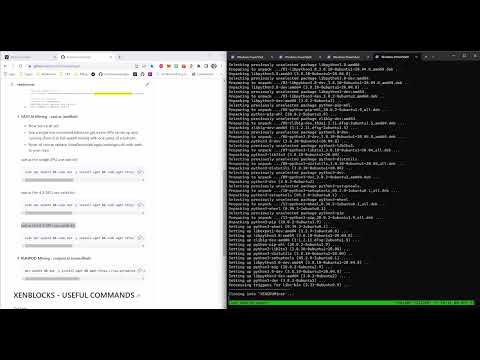
VAST.AI Video DEMO:
-
RUNPOD Mining - runpod.io (unverified):
apt update && apt -y install wget && wget https://raw.githubusercontent.com/JozefJarosciak/xgpu/main/runpod.sh && chmod +x runpod.sh && ./runpod.sh
XENBLOCKS - USEFUL COMMANDS
Tail logs:
tail -f /root/XENGPUMiner/miner.log
tail -f /root/XENGPUMiner/xengpuminer.log
tail -f /root/XENGPUMiner/xengpuminer-0.log (to xengpuminer-7.log)
wget https://raw.githubusercontent.com/shanhaicoder/XENGPUMiner/main/miner.py
sudo nohup python3 miner.py --gpu=true > miner.log 2>&1 &
Maintenance kill multiple instances when needed
pkill -f "xengpuminer"
pkill -f "python3"
mv XENGPUMiner XENGPUMiner2